:format(webp))
:format(webp))
Tailwind CSS v4: What Changes, What to Expect, and How to Prepare
Read this and you’ll know the concrete differences in v4, how the new engine and config affect design systems and tooling, and a practical checklist for upgrading in apps and monorepos.
A quick overview: the headlines you should remember
Tailwind’s v4 announcement makes three big promises: a Rust-based core engine, smaller/faster builds, and a streamlined configuration and plugin surface.
Promise | Description | Key Benefit |
|---|---|---|
Rust-based core engine | Native compiled engine written in Rust | Faster parsing and builds, predictable performance |
Smaller/faster builds | Reduced CSS output size and optimized builds | Quicker load times and reduced bundle size |
Streamlined configuration and plugin surface | Simplified config schema and plugin API | Easier customization and faster developer onboarding |
Rust engine: why it matters — speed, output, and predictable builds
Tailwind v4 replaces the JavaScript core with a Rust-powered engine. The project team highlights large reductions in build times and smaller CSS output as primary benefits (as detailed in the official announcement). Independent benchmarks show that a native engine can reduce compile latency and make tree-shaking more effective at scale: for example, the SWC compiler written in Rust delivers parsing speedups in many JavaScript projects. This approach yields faster parsing and pattern matching for huge codebases and more efficient memory use during large builds—critical for CI runners and monorepos.
Metric | JS Engine | Rust Engine |
|---|---|---|
Build time | 1500 ms | 500 ms |
CSS output size | 100 KB | 60 KB |
Memory usage during build | 200 MB | 120 MB |
Configuration and plugin API changes: what to expect and how to migrate
Tailwind v4 rethinks parts of the config model and plugin API to pair better with the Rust engine and make theme extension cleaner. Community migration write-ups outline likely pain points—renamed or removed legacy utilities, changes in Just-In-Time behavior, and adjustments needed in custom plugins. See this practical migration guide for a step-by-step walkthrough.
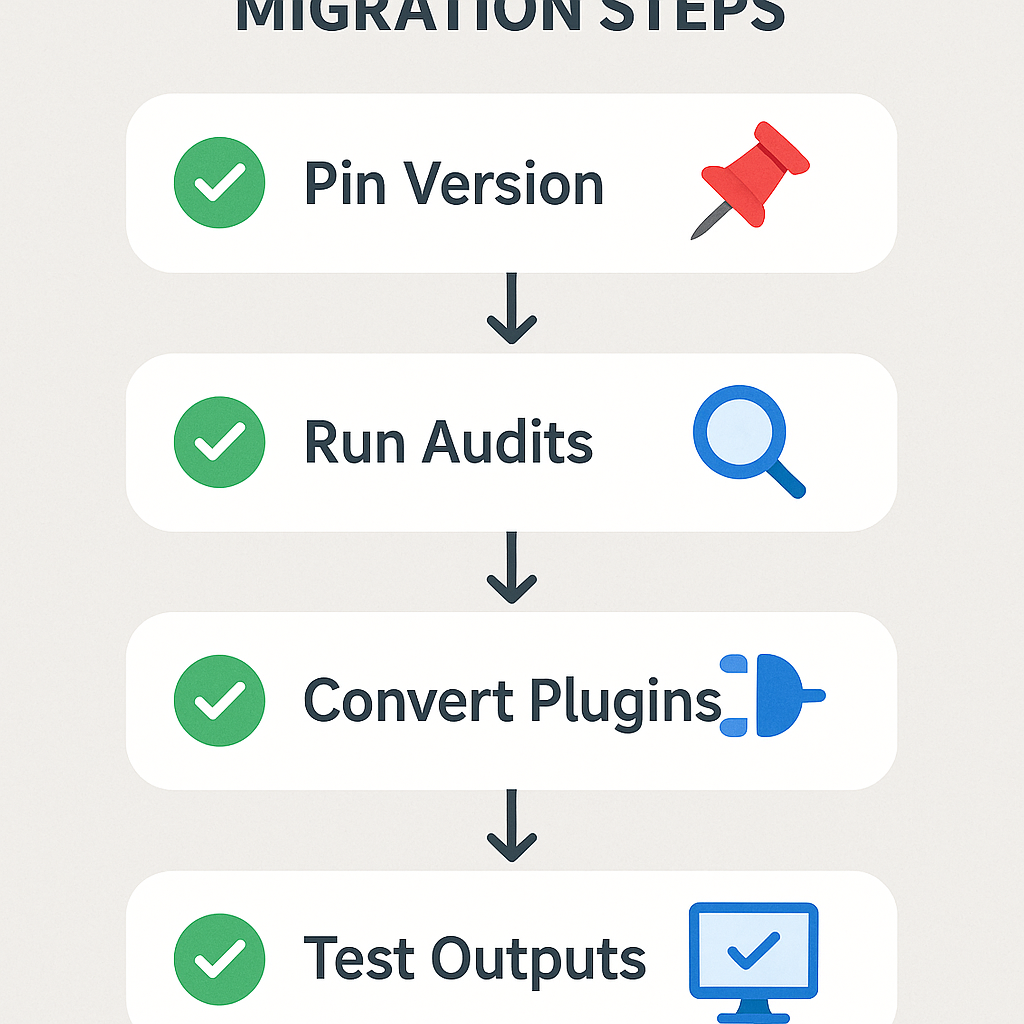
Migration checklist
Pin your current Tailwind version and add comprehensive visual tests.
Run an automated audit that flags deprecated utilities in your codebase.
Convert custom plugins to the updated plugin API; keep a test harness for each.
Test compiled CSS output size and performance locally and in CI.
Native CSS features and nesting: writing patterns change
A major theme in v4 is embracing native browser features rather than reimplementing them. This includes support for CSS Nesting through the `@nest` rule, aligning Tailwind utilities with emerging web standards. The CSS Nesting specification provides an overview of the rule syntax and browser compatibility, and Tailwind v4 will interoperate with these primitives instead of constraining them to utility-only patterns.
Practical effects for authors
Mix utilities with native nested rules to keep component-scoped styles concise.
Use CSS custom properties as a bridge between design tokens and runtime theming.
Rethinking design tokens: systematizing colors, spacing, and typography
With a faster engine and configurability refresh, v4 changes how teams should treat tokens. Tailwind’s new default palette and spacing scale are part of the announcement, but the bigger opportunity is to store brand tokens in the config as canonical values so multiple brands or themes can share one codebase.
Practical token strategy
Keep a small set of canonical tokens (colors, spacing, type scales) in a central config file.
Expose brand overrides as shallow overlays so the Rust engine can tree-shake unused tokens.
Use CSS custom properties for runtime theming so tokens can be swapped without rebuilding.
First-class data attributes and state-driven styling
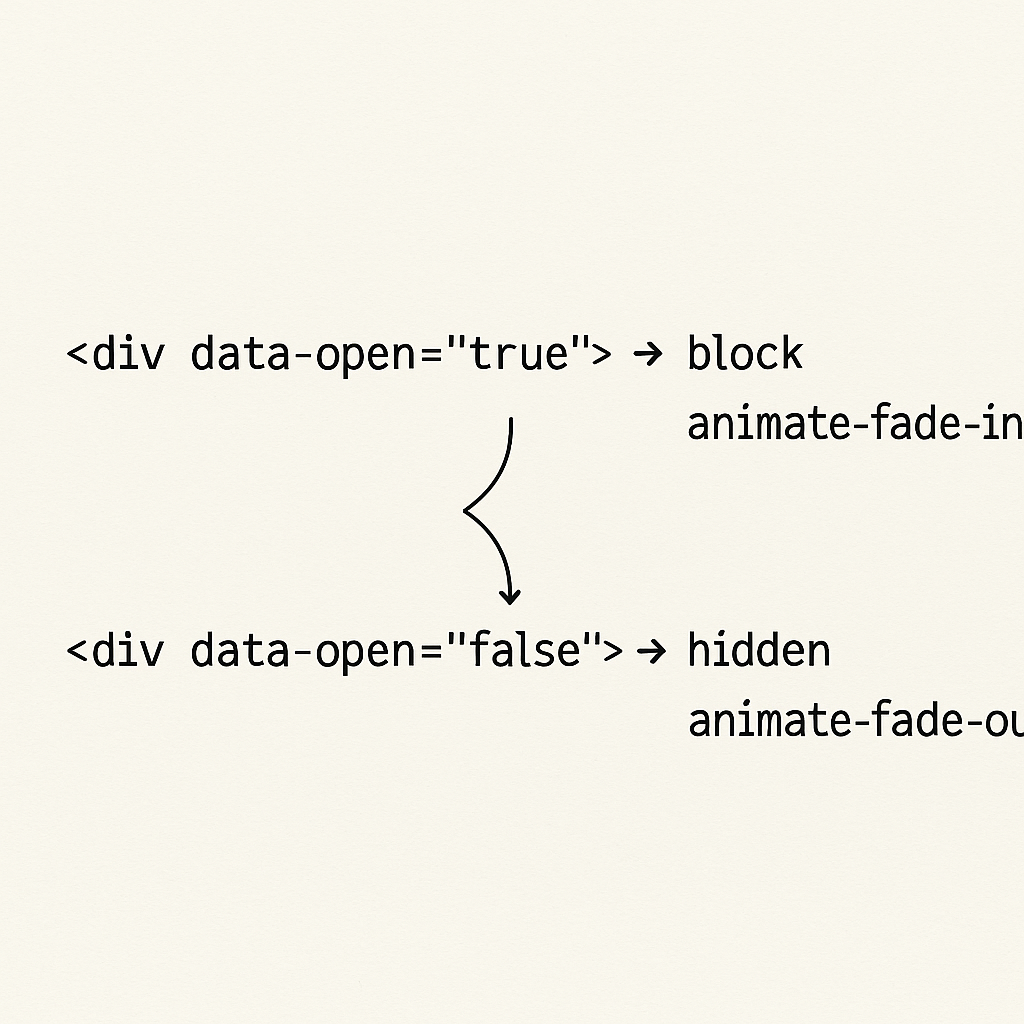
Component libraries and interactive UIs rely on state-driven styling patterns. Attribute selectors—such as data-* attributes —provide a resilient way to express component state without adding extra class names. Tailwind v4’s variant system is designed to generate utilities based on these selectors, so you can respond to component state (e.g., `data-open="true"`) directly in your markup, reducing the need for bespoke CSS.
Use-case example
A headless component emits `data-open="true"` and Tailwind variants translate that into visible/hidden or animated states via generated utilities tied to `[data-open="true"]` selectors.
Impact on the ecosystem: component libraries, Tailwind UI, and generators
A change to the core engine and config shape ripples through everything built on top of Tailwind: UI kits, component libraries, scaffolding tools, and code generators. Tailwind UI, design-system generators, and VS Code extensions will need updates to consume the new config format and utility output. What maintainers should prioritize:
Update scaffolding tools to read the updated config and emit tokens that map cleanly to the new default scale.
Rebuild any CSS-validation or inspection tooling to account for new utility names or removed legacy utilities.
Provide migration guides and codemods for popular libraries and templates.
Operational concerns at scale: CI, monorepos, SSR, and caching
Switching to a native engine improves single-build performance, but large teams should plan around caching, CI behavior, and SSR memory profile. web.dev’s performance analysis discusses implications for large apps and server-side rendering.
Practical operational notes
CI caching: cache the compiled binary and any prebuilt artifact of the engine if your CI supports it.
Monorepos: centralize the Tailwind config in a shared package and use per-package overlays to keep builds minimal.
SSR/ISR: measure memory usage in your serverless functions since Rust-based tools can shift memory patterns even while reducing CPU time; run load tests in a staging environment.
Migration playbook (short, actionable)
Run a global grep for deprecated utilities and list occurrences.
Lock a migration branch and enable visual regression tests.
Update and pin the build toolchain (Vite/Webpack/Next) to guidance from the Tailwind team.
Convert plugins and test them in isolation.
Validate final CSS size, SSR response times, and CI runtime before merging.
The practical trade-offs to watch
Breaking changes: Expect some utilities to be removed or renamed—that’s the cost of smaller, faster output.
Tooling churn: Ecosystems need time to update, so plan staged rollouts for production apps.
Runtime vs. authoring ergonomics: Leaning on native CSS features can simplify runtime behavior but may require authors to learn new patterns like `@nest` and CSS custom properties.
Ready-to-deploy checklist
Lock your current Tailwind version and add visual tests.
Audit and document custom plugins and themes.
Create a migration branch and a CI plan.
Run pre-upgrade benchmarks (build time, CSS size, SSR memory).
Update component libraries and scaffolding templates.
Tailwind v4 represents a significant engineering shift—Rust core, smaller output, config updates, and tighter alignment with modern CSS. That combination should reduce build times and final CSS size for most projects, while changing how you manage tokens, state-driven styling, and ecosystem integrations. Start with a small migration branch, add visual tests, and treat the config as your single source of truth for tokens to minimize surprises. Keep an eye on plugin updates from the ecosystem as the beta evolves.
:format(webp))
:format(webp))
:format(webp))