:format(webp))
:format(webp))
By reading this article, you’ll learn how traditional and headless CMSs differ, what each platform offers in terms of editing, performance, security and community, and which one aligns best with your project goals. You’ll also discover practical tips on migration, SEO tactics, accessibility compliance and real-world success stories.
Understanding CMS Architectures
A content management system (CMS) can be either monolithic—where content and presentation are tightly coupled—or headless—where content is delivered via APIs to any front end. This API-first approach decouples content from its rendering layer, enabling greater flexibility in delivering consistent experiences across web, mobile and other digital channels.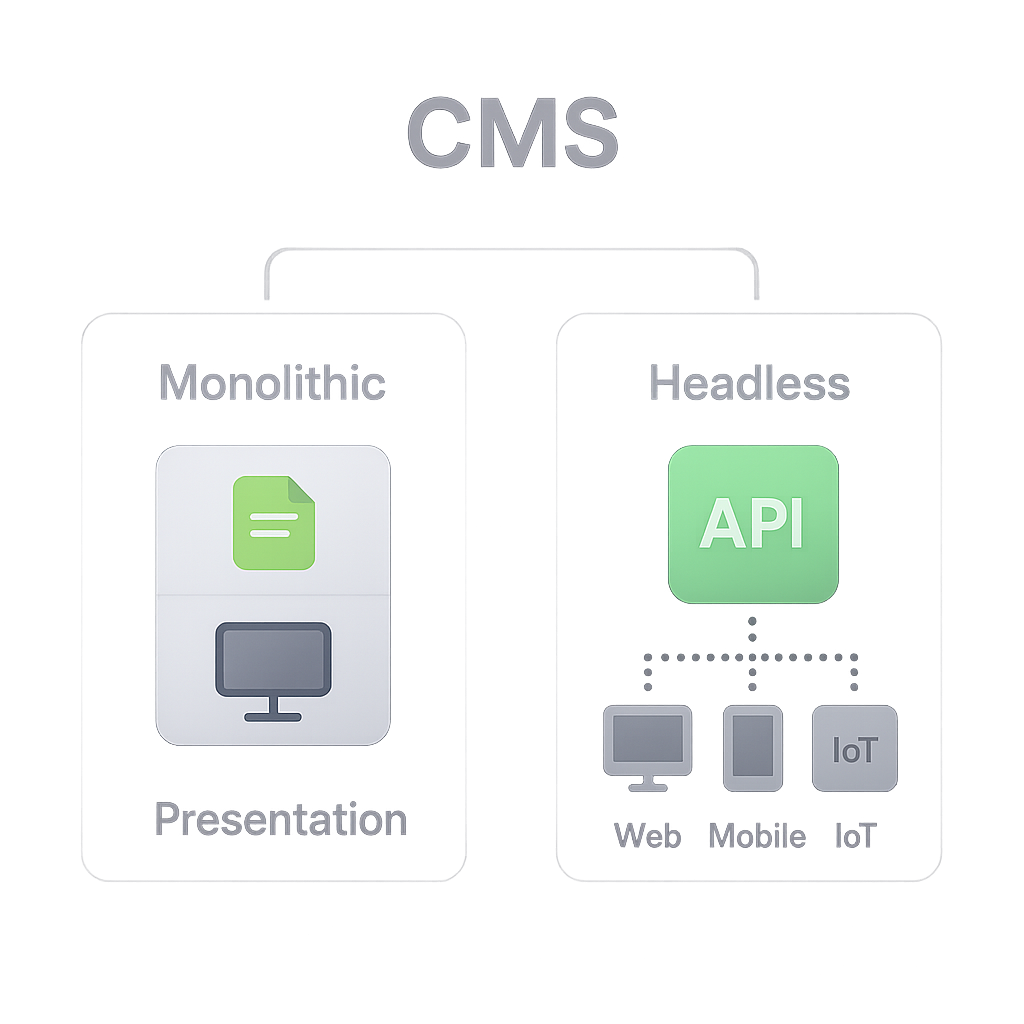
Traditional CMS: WordPress
Written in PHP, uses themes and plugins for customization
Powers 64.5% of all CMS-based sites, according to a W3Techs survey on CMS usage
Built-in editor, media library and large ecosystem
Headless CMS: Storyblok
API-first, separates content from presentation
Visual editor that works with any tech stack
Component-based content modeling for reuse
Key Differences Between Storyblok and WordPress
Editing Experience
WordPress offers a familiar block-editor in the admin panel, while Storyblok gives you a live preview of edits in context, reducing back-and-forth between edit mode and preview mode.
Developer Experience
WordPress relies on PHP and hooks; developers may spend time managing plugin conflicts. Storyblok’s REST and GraphQL APIs let you build with JavaScript, Python or any language that can make HTTP calls.
Performance and Security
WordPress sites often require caching and frequent security patches to mitigate vulnerabilities; for example, Wordfence’s vulnerability report highlights the importance of timely updates. Storyblok’s headless nature offloads content delivery to CDNs and isolates the authoring environment, minimizing attack surfaces.
Omnichannel Delivery
Storyblok can deliver the same content to web, mobile apps, IoT and more via APIs. WordPress can serve multiple channels but usually needs custom development or plugins to expose content beyond web pages.
Pricing and Support
WordPress itself is free, but premium themes, plugins and hosting add costs. Storyblok has tiered plans based on space, users and API usage.
Community and Integrations
WordPress: 65,000+ plugins, 8,000+ themes, supported by the WordPress.org plugin and theme directories and massive support forums
Storyblok: growing marketplace, integrations with Next.js, Nuxt.js, Gatsby
Migration: Challenges and Best Practices
Switching from WordPress to Storyblok involves planning your content structure, mapping fields and moving media. Common steps include:
Audit your WP content types and identify custom fields
Use Storyblok’s Migration CLI tool to transfer entries ( GitHub – Storyblok Migration CLI )
Rebuild page templates as components in your chosen front end
Validate URLs and set up redirects to preserve SEO
Challenges often arise around plugin data compatibility and preserving metadata—planning and testing in a staging environment can reduce surprises.
SEO Strategies for Headless vs Traditional CMS
Search engines require fully rendered HTML. With headless setups you can:
Implement server-side rendering (SSR) or static site generation (SSG)
Use dynamic rendering to serve crawlers pre-rendered content via the Google dynamic rendering guidelines
Inject meta tags and structured data via your front-end framework
WordPress handles rendering out of the box, but performance plugins and caching are essential to maintain fast load times.
Headless CMS | Traditional CMS |
|---|---|
Uses APIs with Server-Side Rendering (SSR) or Static Site Generation (SSG) to deliver fully rendered HTML. | Native HTML rendering out of the box; no need for SSR/SSG setup. |
Supports dynamic rendering to serve pre-rendered content to search engine crawlers. | Content is always rendered for crawlers; performance plugins and caching are essential for fast delivery. |
Meta tags and structured data are injected via the front-end framework. | Meta tags and structured data are managed natively or with SEO plugins. |
Accessibility Considerations
Both platforms can meet WCAG standards, but the approach differs:
WordPress: leverage plugins like WP Accessibility to add ARIA attributes and skiplinks
Storyblok: ensure your component library includes proper semantic HTML, focus management and labels
Refer to the WCAG guidelines for detailed compliance levels.
Success Stories: Real-World Case Studies
Many brands have moved from WordPress to Storyblok and realized measurable gains:
Domino’s Germany saw page load times drop by 45% after migrating ( Storyblok case study )
A major telco reduced time-to-market for new campaigns by 60%
Your CMS Compass
If you need rapid omnichannel delivery, flexible content modeling and a modern developer experience, Storyblok fits well. If you prefer an out-of-the-box editor, extensive plugins and a large community, WordPress remains a solid choice. Consider migration complexity, SEO setup, accessibility and community resources as you chart your path.
Need Guidance?
You can talk to one of our experts on Storyblok and Wordpress migrations for free
Get Free Consult:format(webp))
:format(webp))
:format(webp))